Read-aloud app for Android
A read-aloud app for Android
that reads your own books.
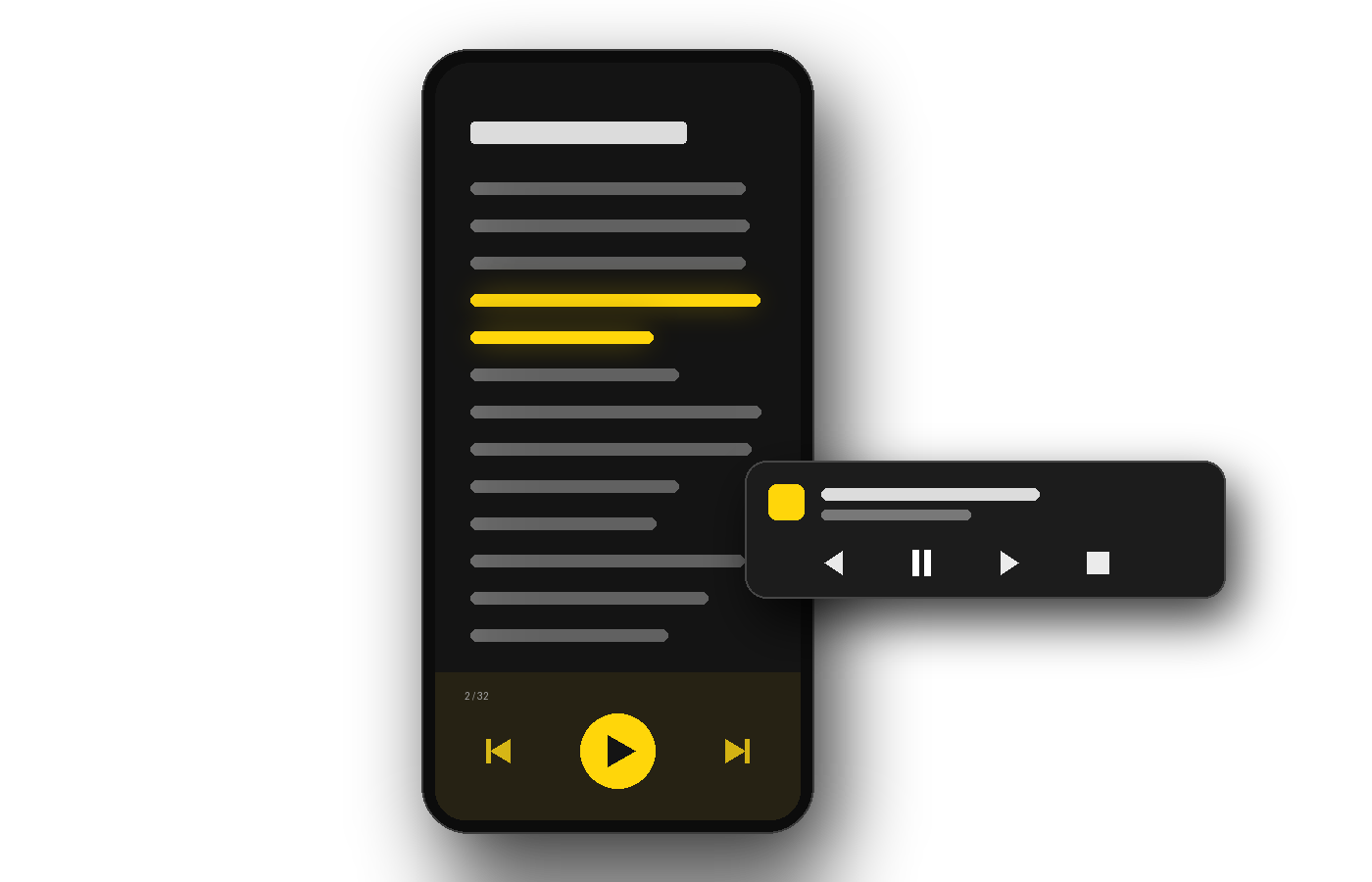
Open an EPUB or a PDF and a natural voice reads it to you in any of 12 languages, with the sentence being read highlighted on screen. Lock the phone and it keeps going: the controls are in the notification.
Android 7.0 or later. 14-day free trial, then €4.99 a month, and the same account covers the desktop app. No iPhone version.
How it works
From Google Play to your first chapter in three steps.
No converting, no uploading, no copying text into a box.
Install the app
Get Auris Reader from Google Play; it runs on Android 7.0 or later. If you do not have an account yet, start the 14-day free trial on this website.
Link your phone
The app shows a short code and a web address. Open it, enter the code and approve: the phone is now linked to your account, and one plan covers two devices at once, phone and computer included.
Open a book and press play
Open an EPUB or PDF from the app, or tap one in your file manager, your downloads or an email attachment and choose Auris Reader. Each sentence is highlighted as it is read, and every book remembers where you left off on that phone.
What your phone already does
Your phone can already read aloud. Just not a whole book.
Android comes with read-aloud tools, and they are worth knowing: Select to Speak reads whatever you select on the screen, and Google’s Reading mode reads apps and websites aloud. But both work on what an app shows on the screen, and Reading mode does not support PDF files.
That is the whole job of this app: open the book itself, read it chapter after chapter with a natural voice, keep going with the screen off, and pick up at the same sentence tomorrow. Other apps do that too; the table further down compares four of them and says what each one does better.
What it does on your phone
Made for listening, not for staring at the screen.
It keeps reading with the screen off
Press play, lock the phone and put it in your pocket: the reading carries on, and the notification has play and pause, the previous and next sentence, and stop. A sleep timer stops it after 5, 15, 30 or 60 minutes.
- Play, pause and skip a sentence from the notification, also on the lock screen
- Sleep timer: 5, 15, 30 or 60 minutes
- Or keep the screen on and follow the highlighted text
Natural voices in 12 languages
The voices are neural, generated online by Microsoft’s voice service: each sentence goes out as it is read, never the file. No connection? Reading carries on with your phone’s own voice, if it has one for that language, and the online voice comes back by itself.
- English, Spanish, French, German, Italian, Portuguese
- Dutch, Polish, Swedish, Romanian, Bulgarian, Hungarian
- Choose the voice and adjust its pitch
EPUB and PDF, properly
EPUB 2 and 3 open with their chapters. Before reading a PDF, the app looks at its first pages and learns which lines come back on every page, like the header and the page number, and leaves them out.
- Chapters, bookmarks and search inside the book
- Scanned PDF pages open as images you can zoom into; they are not read aloud
- Light, dark and sepia themes, and adjustable text size
Translate on the phone itself
Turn on translation and the book is translated as it is read, by your phone, from more than 50 languages. Each language pair is downloaded once, about 30 MB, and then works with no connection.
- Off until you turn it on
- Download the languages on Wi-Fi only, if you prefer
- An optional online fallback for pairs the phone cannot do, also off by default
Your books stay on your phone
Books open from your own storage, and your library, your reading positions and your bookmarks live on the phone. There is no upload and no cloud library.
- Recent books with covers and progress
- The online voices receive only the sentence being read
- No ads, and the app does not track what you read
How it compares
One of these is free, and very good.
We would rather you knew which, and when it is the better answer.
| Auris Reader | @Voice Aloud Reader | Speechify | NaturalReader | ElevenReader | |
|---|---|---|---|---|---|
| Runs on | Android, Windows, Linux | Android | Android, iOS, Windows, Mac, web | Android, iOS, Windows, Mac, web | Android, iOS, web |
| Voices | Neural, 12 languages | The phone’s own, or optional cloud voices | Its own AI voices; the free ones are basic | The phone’s own, or AI voices, limited when free | Its own AI voices |
| Opens your EPUB and PDF files | Yes | Yes | Yes | Yes | Yes |
| Reads scanned pages aloud | Not in the plan on sale | Yes | Yes, with Premium | Yes, with a subscription | Yes |
| Reads without uploading your file | Yes | Yes | No, cloud library | No, online library | No, synced to your account |
| Saves the reading as an audio file | − | Yes | Not in the app | Yes, with a subscription | Not in the app |
| Price | €4.99/month | Free with ads, or a one-off licence | Free with basic voices, or a subscription | Free plan, or a subscription | Free up to 10 hours a month, or a subscription |
Read that table before you pay us anything. @Voice Aloud Reader is free with ads, reads scanned pages, translates too and saves the reading as audio; if the voices on your phone sound good to you, it is the right answer. Speechify, NaturalReader and ElevenReader have much larger voice catalogues, and all three read scanned pages.
What you pay us for is the rest of the table: natural voices in 12 languages from the first page, your files staying on your phone, and the same plan on a Windows or Linux computer. And if your documents are private, the last three need them in their cloud first.
Third-party platforms, features and pricing models are those published by each vendor on 23 September 2026 and change often. Check their own page before deciding.
What it costs
One plan, and a trial that really is free.
€4.99 / month
Or €49 a year. Taxes included. Cancel in two clicks from your account.
- 14 days free, then it renews unless you cancel
- Up to 2 new documents a day — carrying on with the document you were reading, or reopening one you already opened that day, does not count
- 2 devices signed in at once
- All 12 voice languages and offline translation included
We ask for a card at sign-up so the subscription can start on day 15. Cancel before then and you are charged nothing.
Questions
About listening on Android.
Is there a free way to have books read aloud on Android?
Yes, and it is worth trying first. Select to Speak, which comes with Android, reads whatever you select on the screen, and Google’s Reading mode reads apps and websites aloud, although both work on what an app shows and Reading mode does not support PDFs. @Voice Aloud Reader is free with ads, opens EPUB and PDF files and reads them with your phone’s voices. Auris Reader costs €4.99 a month after a 14-day trial; what you pay for is natural voices in 12 languages, files that stay on the phone, translation done on the phone itself, and the same plan on Windows and Linux.
Does it keep reading with the screen off?
Yes. Press play and lock the phone: the reading carries on in the background, and the notification has play and pause, the previous and next sentence, and stop. The sleep timer stops it after 5, 15, 30 or 60 minutes, so it does not read on until morning if you fall asleep.
Does it work without an internet connection?
Partly. The neural voices are generated online, so the natural voice needs a connection. If it drops, reading carries on with your phone’s own voice, as long as it has one for that language, and the online voice comes back by itself; if it has none, the app says so and offers to install one. Translation works offline once the language is downloaded, and the app keeps working for 7 days without checking in with your account.
Can I change the reading speed?
Not in the plan on sale today. Starter reads at the standard speed (1×); the other speeds belong to the Pro and Premium plans, which are not on sale yet. What you can change is the voice and its pitch, and you can go back or forward one sentence at a time.
Can I use it on my phone and on my computer?
Yes. The same account and plan cover the Android app and the desktop app for Windows and Linux, with two devices signed in at once. Each device remembers its own place in every book: positions are saved on the device and are not synced between them.
Is there an iPhone version?
No. On mobile, Auris Reader is Android only, and on the desktop it runs on Windows and Linux; there is no version for iPhone, iPad or Mac.
Can I save a book as an MP3?
No, and it is deliberate rather than pending. Auris Reader plays a document, it does not convert it: producing a distributable audio file from a copyrighted text is a different thing legally, and we decided not to do it. @Voice Aloud Reader can record the reading to a file on the phone, and NaturalReader does it with a subscription.
What happens on day 15?
The subscription starts and the card you gave at sign-up is charged €4.99, or €49 if you chose the yearly plan. Nothing is charged during the 14 days. You can cancel at any point before day 15 from your account page, in two clicks, and you will not be charged; you keep the trial until it runs out.
Put the next book in your pocket.
Fourteen days, your own books, and a voice that keeps reading with the screen off. If it is not for you, cancel before day 15 and you pay nothing.
14-day free trial · €4.99/month afterwards · Android, Windows and Linux