
PDF reader with text to speech
Listen to your PDFs
without the page furniture.
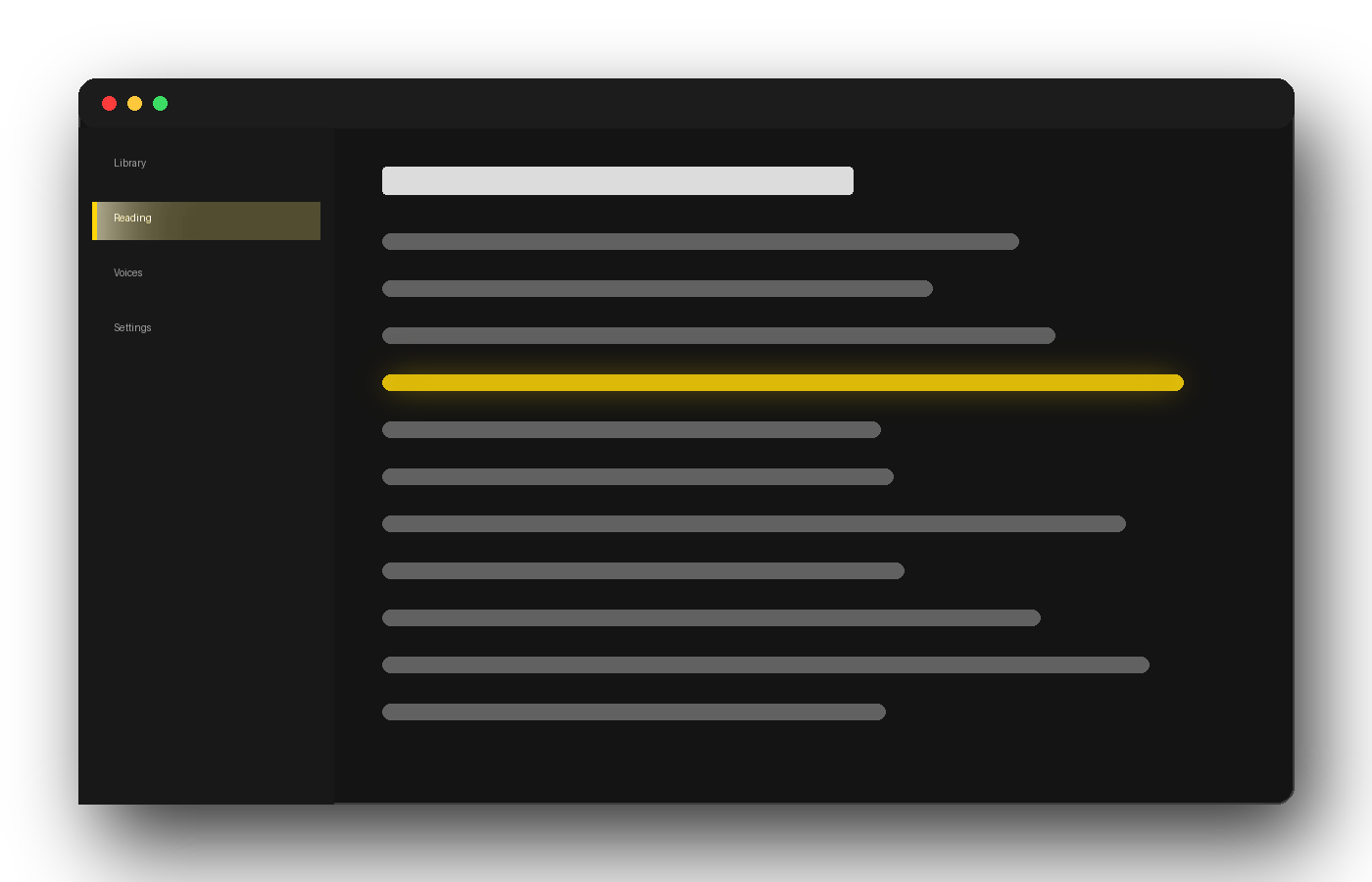
Open a PDF and a neural voice reads it to you, in any of 12 languages. The running header, the footer and the page number stay quiet, and the sentence being read lights up as it goes.
Windows, Linux and Android. 14-day free trial, then €4.99/month. No macOS or iOS version.
How it works
From file to voice in three steps.
No converting, no uploading, no copying text into a box.
Get the app
A signed installer for Windows 10 and 11, a .deb package for Debian and Ubuntu, or the Android app from Google Play. One account covers two devices.
Open a PDF
From your disk, or on the phone straight from your file manager, your downloads or an email attachment. The file is read where it is: nothing is uploaded to our servers.
Press play
Each sentence is highlighted as it is spoken, and you can step back one at a time. Come back later and it picks up on the sentence where you stopped, on that device.
Why a PDF is hard to listen to
A PDF is made to be printed, not heard.
Every page of a PDF carries things that make sense on paper and none out loud: the title of the book at the top, the chapter in the corner, the page number at the bottom. A general-purpose reader speaks whatever text the page contains, so every few minutes the voice interrupts the argument to tell you the name of the book again, and that you are now on page 47.
That is the whole job of this app on a PDF: read the content, leave out the furniture, use a voice you can stand for an hour, and keep your place between sessions.
What it does with a PDF
It learns the layout before it reads.
It works out what repeats on every page
When you open a PDF, the app studies its first pages and learns which lines keep coming back in the same place: the running header, the footer, the page number, and numbering styles such as “Page 12” or “12 of 300”. Those stay silent, and the text of the page is read.
- Learned for each document, not taken from a fixed list
- On the desktop, pull quotes set beside the text are read at the end of the page instead of breaking up a paragraph
- A header whose words change on every page may still be read
More than 20 neural voices, 12 languages
Not the robotic voices your computer came with. Spanish and English ship with the app, with Spain, Mexico, US and UK accents; ten more languages download from inside it at no extra cost.
- French, German, Italian, Portuguese, Dutch
- Polish, Swedish, Romanian, Bulgarian, Hungarian
- A male and a female voice in every language
Scanned PDFs, the honest version
A scanned PDF is a picture of each page, with no text inside. It opens and you can move through it, but the plan on sale today does not read it aloud: that needs text recognition, which is planned for higher plans that are not on sale yet.
- On Android you can zoom into each scanned page
- In a PDF that mixes both, the typed pages are read
- The app tells you when it reaches a scanned page
A PDF in a language you do not read
Turn translation on and the PDF is translated as it is read to you. It translates from more than 50 languages and reads the result in any of the 12 that have a voice.
- On the desktop, an offline pack is included in every plan
- On Android, the phone does the translating
- It ships switched off; you turn it on yourself
Your PDFs stay on your device
Files are opened from your own disk or phone. There is no upload, no cloud library and no copy of your documents on our servers.
- The online voices receive only the sentence being spoken
- Online translation, if you choose it, receives the passage
- The app does not track what you read
How it compares
Two of these are free, and good.
We would rather you knew which, and when they are the better answer.
| Auris Reader | Acrobat Reader | Edge | Speechify | NaturalReader | |
|---|---|---|---|---|---|
| Runs on | Windows, Linux, Android | Windows, Mac, iOS, Android | Windows, Mac, Android, iOS | Windows, Mac, iOS, Android, web | Windows, Mac, iOS, Android, web |
| Voices | Neural, 12 languages | Those of the system | Neural | Neural | Neural |
| Leaves out headers, footers and page numbers | Yes, learned for each PDF | − | − | Yes, as an option | Headers and footers, as an option |
| Reads scanned PDFs aloud | Not in the plan on sale | − | − | Yes, with Premium | Yes, with a subscription |
| Translates the PDF while reading it | Yes | − | − | − | − |
| Reads without uploading your file | Yes | Yes | Yes | No, cloud library | No, cloud library |
| Saves the reading as an audio file | − | − | − | Yes | Yes |
| Price | €4.99/month | Free | Free | Subscription | Subscription, or a one-off desktop licence |
Read that table before you pay us anything. Acrobat Reader and Edge cost nothing and will read a PDF aloud today; for a document you need once, they are the right answer. Speechify and NaturalReader read scanned PDFs, which the plan we sell does not, and both will save the result as audio.
Two rows in the middle are where the money goes: leaving the page furniture out from the first page, with nothing to switch on, and translating a PDF while it is read to you. And if your documents are private, the two subscription apps need them on their servers first.
Third-party platforms, features and pricing models are those published by each vendor on 23 September 2026 and change often. Check their own page before deciding.
What it costs
One plan, and a trial that really is free.
€4.99 / month
Or €49 a year. Taxes included. Cancel in two clicks from your account.
- 14 days free, then it renews unless you cancel
- Up to 2 new documents a day — carrying on with the document you were reading, or reopening one you already opened that day, does not count
- 2 devices signed in at once
- All 12 voice languages and offline translation included
We ask for a card at sign-up so the subscription can start on day 15. Cancel before then and you are charged nothing.
Questions
About listening to a PDF.
Is there a free way to have a PDF read aloud?
Yes, and it is worth trying first. Acrobat Reader has Read Out Loud, free, with the voices already installed on your computer. Edge reads PDFs aloud with natural online voices and nothing to install. On Android, the phone’s own Select to Speak reads what is on the screen. Auris Reader costs €4.99 a month after a 14-day trial; what you pay for is a reader that leaves out the headers and page numbers, translates while it reads, and keeps your place, on Windows, Linux and Android.
Will it read the header and the page number on every page?
Not the ones that repeat. Before reading, the app looks at the first pages of the PDF and learns which lines keep coming back in the same place, such as the book title, the chapter in the margin and the page number, and leaves them out. Two cases can still get through: a header whose words change from page to page, and page numbers in Roman numerals.
Can it read a scanned PDF?
It opens it and shows you the pages, but the plan on sale today does not read them aloud. A scanned PDF is an image of each page with no text inside, and turning it into text needs recognition that is planned for higher plans not yet on sale. If a PDF mixes typed and scanned pages, the typed ones are read and the app tells you when it reaches a scanned one. If scans are most of what you read, Speechify reads them with Premium, and NaturalReader with a subscription.
Does it work on Android?
Yes. The Android app is on Google Play, and the same account and plan cover it, with two devices at once. It leaves out repeated headers, footers and page numbers too, opens PDFs straight from your file manager, downloads or email, and lets you zoom into scanned pages. Moving pull quotes out of a paragraph is something only the desktop app does.
Does it work without an internet connection?
Partly. The neural voices are generated online, so reading aloud needs a connection. If it drops, on Windows and Android the app carries on with the voice installed on your computer or phone, as long as it has one for that language; on Linux, reading stops. Translation can work with no connection: on the desktop the offline pack is included in every plan, and on Android the phone translates once you have downloaded the language.
Does it open password-protected PDFs?
No. A PDF that asks for a password to open is encrypted, and the app has no way to ask you for it: on Android it tells you the file is protected, and on the desktop it will not load. Save an unprotected copy with the program you normally open it in, and that copy will work.
Can I save a PDF as an MP3?
No, and it is deliberate rather than pending. Auris Reader plays a document, it does not convert it: producing a distributable audio file from a copyrighted text is a different thing legally, and we decided not to do it. Speechify and NaturalReader do it, and Balabolka does it for free on Windows.
What happens on day 15?
The subscription starts and the card you gave at sign-up is charged €4.99, or €49 if you chose the yearly plan. Nothing is charged during the 14 days. You can cancel at any point before day 15 from your account page, in two clicks, and you will not be charged; you keep the trial until it runs out.
Hear the next PDF instead of reading it.
Fourteen days, your own files, and a voice that reads the content and skips the furniture. If it is not for you, cancel before day 15 and you pay nothing.
14-day free trial · €4.99/month afterwards · Windows, Linux and Android