EPUB reader with text to speech
An EPUB reader
that reads your books aloud.
Open an EPUB on your computer, press play, and listen. More than 20 neural voices in 12 languages, each sentence highlighted as it is spoken, and your books never leave your machine.
Windows and Linux, plus Android on Google Play. 14-day free trial, then €4.99/month. No macOS or iPhone version.
How it works
From file to voice in three steps.
No conversion, no upload, no waiting for a server to process your book.
Open your EPUB
Point Auris Reader at any EPUB on your disk. The file stays where it is: there is no library to upload to and nothing is copied to our servers. PDFs open the same way.
Pick a voice
Spanish and English voices are built in. The other ten languages — French, German, Italian, Portuguese, Dutch, Polish, Swedish, Romanian, Bulgarian and Hungarian — download from inside the app at no extra cost.
Press play
The sentence being read lights up, and you can jump back one sentence whenever your attention drifts. Close the app and it reopens that book on the exact sentence you stopped at.
Why it is harder than it sounds
Most ways of listening to an EPUB break somewhere.
An EPUB is not a page, it is a pile of chapters that reflow to fit whatever screen opens them. That is wonderful for reading and awkward for listening, and it is where the usual options give up.
A browser will read one chapter and forget you when you close the tab. A screen reader will read your book and also every menu, button and window title on the way. An online converter asks you to upload the file first and hands you back an audio file you cannot navigate. And most phone apps that do read EPUBs use the system voice your phone came with, which is the robotic voice you were trying to escape.
What actually matters over a 400-page book is duller than any feature list: does it remember the exact sentence you stopped at, is the voice bearable after an hour, and can you get back one sentence when your mind wanders. That is what this app is built around.
What you get
Built for books you come back to.
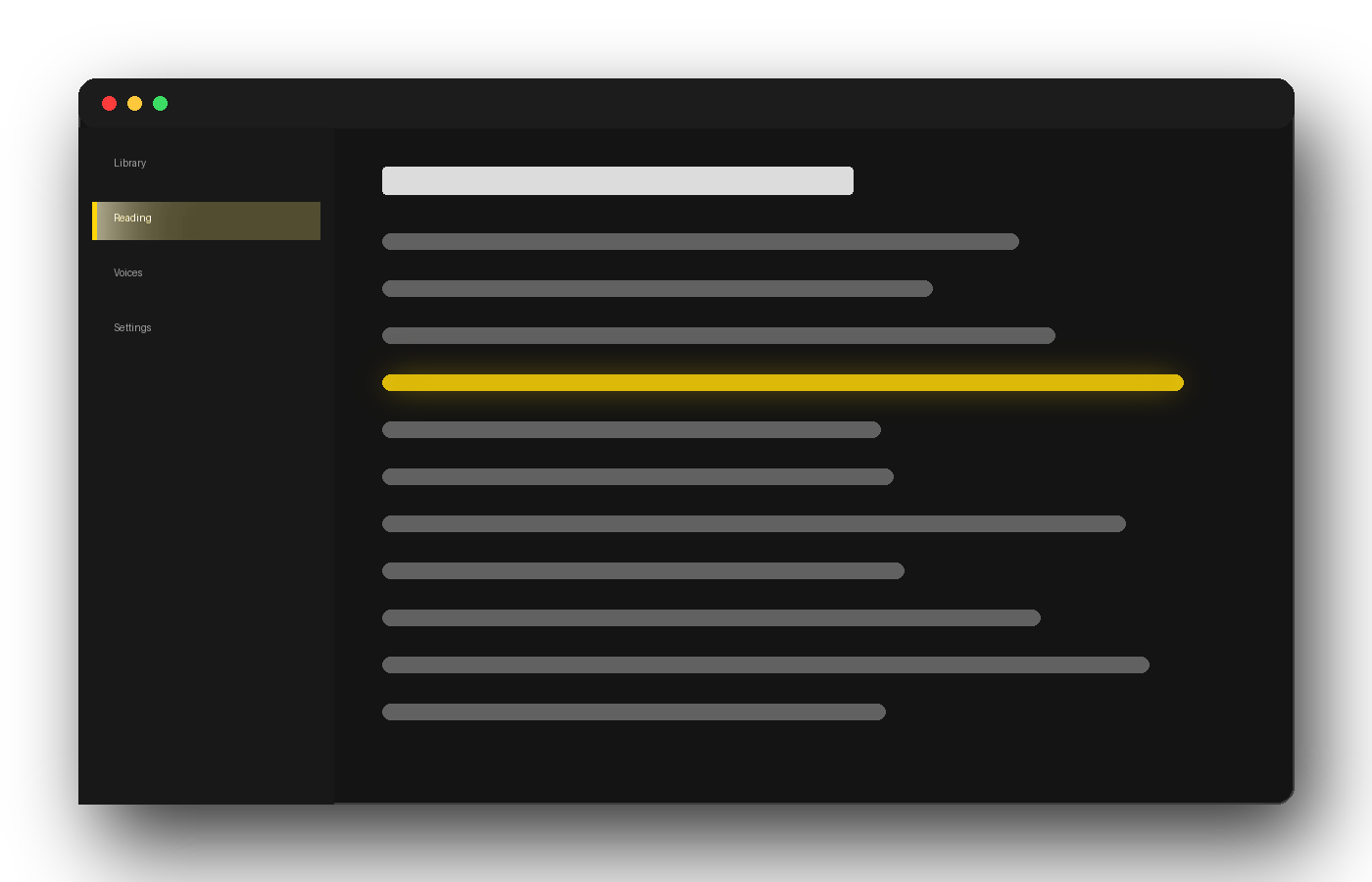
The line glows when the voice reaches it
Each sentence is highlighted the instant it is spoken, so your eyes can follow along or rest. A predictive pipeline generates the next few sentences while the current one plays, which is why there is no gap between them.
- Jump back one sentence with a single control
- No silence between sentences, even on a slow connection
- Reopens your book on the exact sentence you left
More than 20 neural voices, 12 languages
Spanish and English ship with the app, with Spain, Mexico, US and UK accents. Ten more languages download from inside the app, free, whenever you need them.
- French, German, Italian, Portuguese, Dutch
- Polish, Swedish, Romanian, Bulgarian, Hungarian
- A male and a female voice in every language
A book in a language you do not read
Turn translation on and the book is translated as it is read to you. Each sentence goes through with the three before it, so pronouns and names survive the jump instead of turning into nonsense.
- The voice you choose decides the target language
- Offline translation included in every plan
- Ships switched off; you turn it on per document
Your books stay yours
There is no cloud library. Your EPUB is opened from your own disk and never uploaded. With online voices, only the sentence about to be spoken is sent for synthesis — never the file, and we keep none of it.
- No upload, no cloud copy of your library
- The app does not track what you read
- Translation can run entirely on your machine
PDFs too, cleaned up first
The same app opens PDFs and profiles each one before reading, so the running headers, footers and page numbers that come back on every page stay silent.
- Headers, footers and page numbers stay silent
- Learned for each document, not from a fixed list
- Scanned PDFs need OCR, in the higher plans
How it compares
What each option actually does with an EPUB.
Two of these are free and good. We would rather you knew that than found out afterwards.
| Auris Reader | Calibre | Edge | Speechify | NaturalReader | Voice Dream | |
|---|---|---|---|---|---|---|
| Platforms | Windows, Linux, Android | Windows, Mac, Linux | Windows, Mac, Android, iOS | Windows, Mac, iOS, Android, web | Windows, Mac, iOS, Android, web | iPhone, iPad, Mac |
| Opens EPUB | Yes | Yes | No, PDF only | Yes | Yes | Yes |
| Neural voices | Yes, 12 languages | Yes, local | Yes | Yes | Yes | Yes |
| Translates the book while reading it | Yes | No | No | No | No | No |
| Reads without uploading your file | Yes | Yes | Yes | No, cloud library | No, cloud library | Yes |
| Free tier | 14-day trial | Free, no limits | Free | Limited | Limited | No |
| Price | €4.99/month | Free | Free | Subscription | Subscription, or a one-off desktop licence | Subscription |
Read that table before you pay us anything. If you want a free, fully local EPUB reader that reads aloud with neural voices, Calibre does that and costs nothing. If your document is a PDF and you only need it once, Edge is already on your computer.
What none of them do is the fourth row. If you want to listen to a book written in a language you do not read, translated as it is spoken, that is the one thing here you cannot get for free. And if your documents are private, the two cloud apps need them on their servers first; we and Calibre never see them.
Third-party platforms, tiers and pricing models are those published by each vendor on 22 September 2026 and change often. Check their own page before deciding.
What it costs
One plan, and a trial that really is free.
€4.99 / month
Or €49 a year. Taxes included. Cancel in two clicks from your account.
- 14 days free, then it renews unless you cancel
- Up to 2 new documents a day — carrying on with the book you were reading, or reopening one you already opened that day, does not count
- 2 devices signed in at once
- All 12 voice languages and offline translation included
We ask for a card at sign-up so the subscription can start on day 15. Cancel before then and you are charged nothing.
Questions
Before you install anything.
Is there a free way to have an EPUB read aloud?
Yes, and it is worth trying first. Calibre is free, runs on Windows, macOS and Linux, and its viewer reads EPUB aloud with local neural voices. Auris Reader costs €4.99 a month after a 14-day trial; what you are paying for is translation while it reads, the Android app, and the PDF cleanup. If none of those matter to you, Calibre is the better answer.
Does it work without an internet connection?
Partly, and here is the honest version. The neural voices are generated online, so reading aloud needs a connection. If the connection drops mid-chapter on Windows or Android, the app falls back to the voice installed on your computer or phone rather than leaving you in silence; on Linux, reading stops. Translation is the opposite: the offline translation pack is included in every plan, so once it is downloaded, translating needs no connection at all.
Will it open a book I bought on Kindle or in a shop with DRM?
No. A book bought on Kindle is not an EPUB, and an EPUB with Adobe DRM is encrypted, so no reader can open it without the key. Auris Reader opens DRM-free EPUB files: books you own as files, libraries like Project Gutenberg and Standard Ebooks, documents you exported yourself, and anything a publisher sold you without a lock.
Does it remember where I stopped, and does that follow me to another device?
It remembers, down to the exact sentence, and reopens the book there the next time you launch the app. It does not travel between devices: the position is stored on the machine you were reading on, not on our servers. If you read the same book on your computer and on your phone, each keeps its own place.
Which languages are the voices in?
Twelve: Spanish, English, French, German, Italian, Portuguese, Dutch, Polish, Swedish, Romanian, Bulgarian and Hungarian, with a male and a female voice in each and several accents in Spanish and English. Spanish and English come with the app; the rest download from inside it at no extra cost. Translation can start from a much longer list of languages, but it can only be spoken in those twelve.
Can I turn a book into an MP3 file?
No, and this one is deliberate rather than pending. Auris Reader plays a book, it does not convert it: producing a distributable audio file from a copyrighted text is a different thing legally, and we decided not to do it. If an audio file is what you need, Balabolka on Windows does it for free.
Does it read PDFs as well?
Yes, and that is where most of the engineering went. Before reading, the app profiles the document and works out what is content and what is furniture, so running headers, footers and page numbers stay silent. A scanned PDF — a photograph of pages, with no text underneath — needs text recognition first, which is part of the higher plans.
Is there a Mac or iPhone version?
No. Auris Reader runs on Windows, on Linux as a .deb package, and on Android through Google Play. There is no macOS or iOS version and none is in progress, so if you read on an iPhone or a Mac, Voice Dream Reader is the app people in that world recommend.
What happens on day 15?
The subscription starts and the card you gave at sign-up is charged €4.99, or €49 if you chose the yearly plan. Nothing is charged during the 14 days. You can cancel at any point before day 15 from your account page, in two clicks, and you will not be charged; you keep the trial until it runs out.
Start with the book you gave up on.
Fourteen days, your own EPUB files, and a voice that keeps your place to the sentence. If it is not for you, cancel before day 15 and you pay nothing.
14-day free trial · €4.99/month afterwards · Windows, Linux and Android